What is ccLeaf?
Pro animations for creators, instantly. No After Effects. No AI. No animator needed.
Written By ccLeaf Team
Last updated About 2 months ago
The problem ccLeaf is built to solve
If you make videos for a living — or even just care about making your videos stand out — you already know the standard has changed. Basic edits aren’t enough anymore. The channels pulling attention now are layering in motion graphics, dynamic captions, transitions, counters, pop-ups, and visual beats that make every few seconds feel intentional.
That’s the problem: creators know they need motion, but the normal ways of getting it are either slow, expensive, frustrating, or all three at once.
After Effects is insanely powerful, but it’s also a whole skill tree by itself.
Freelance animators can make amazing work, but they work on their timeline, not yours.
AI animation tools are fast, but most of them produce the same generic, soulless look.
Free template packs are overused, limited, and usually impossible to make feel truly original.
So creators get stuck in this weird middle zone where they know what their videos need, but every path to getting there feels annoying.
That’s exactly why ccLeaf exists.
ccLeaf gives creators a way to add polished, professional animation to their videos without learning new software, without hiring an animator, and without losing momentum in the edit.
Get ccLeaf today if you want the polish of motion design without the drag of a motion-design workflow.
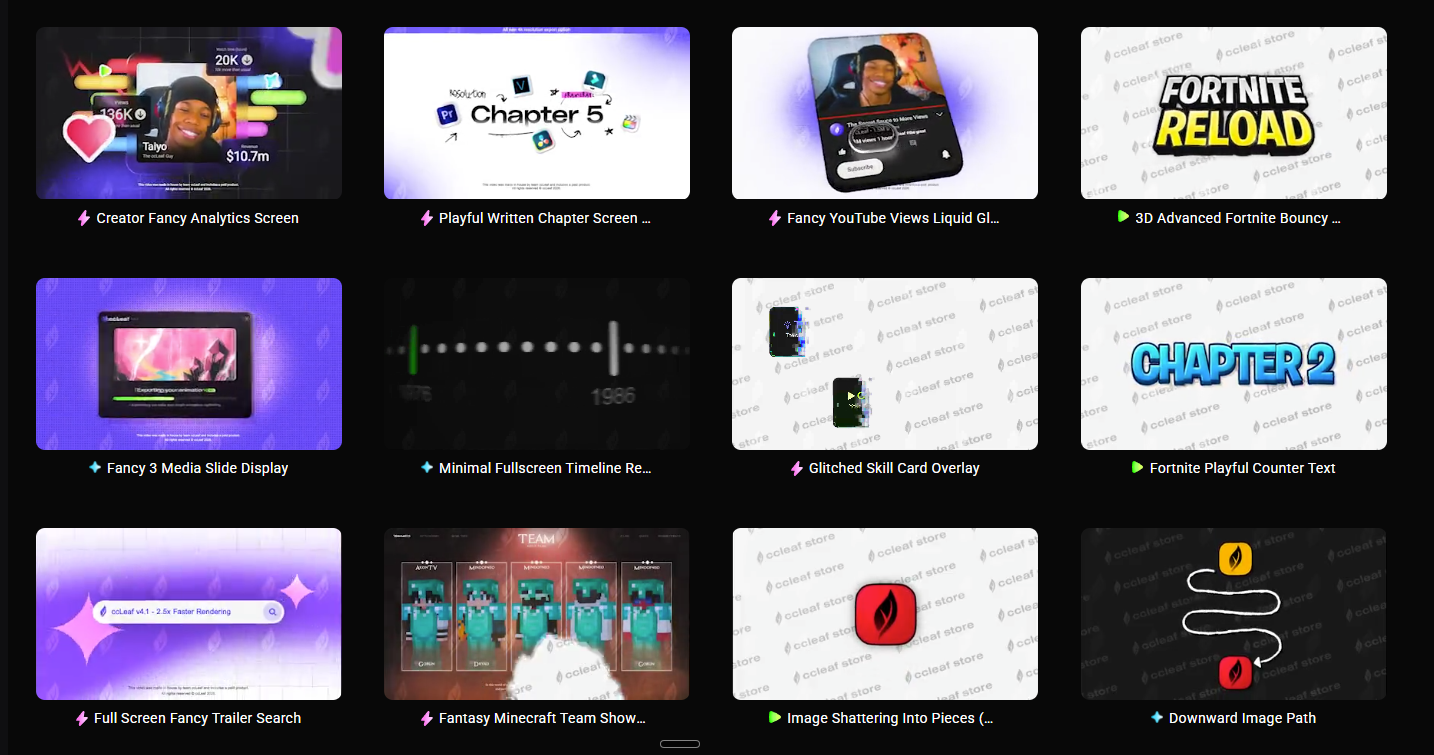
So what is ccLeaf, exactly?
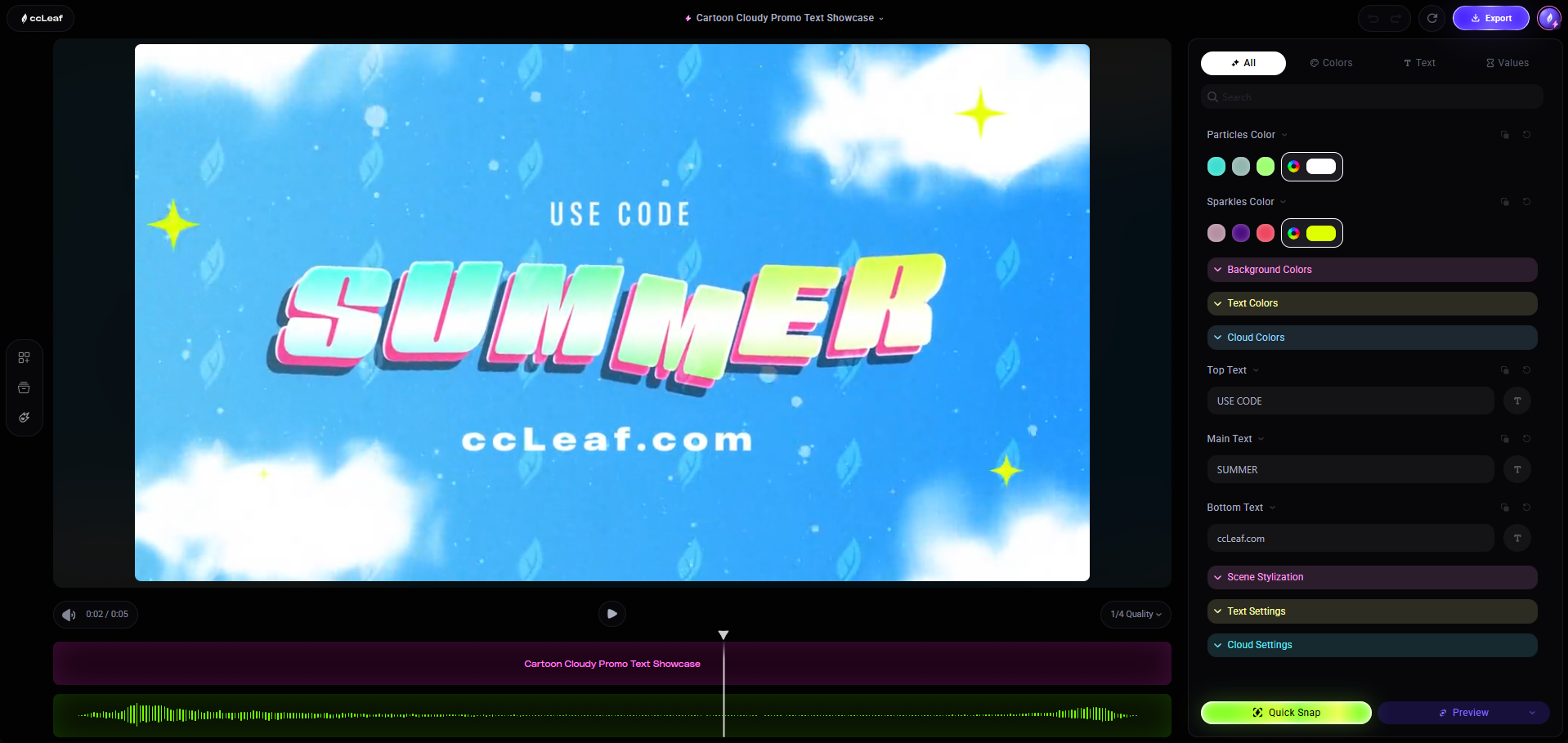
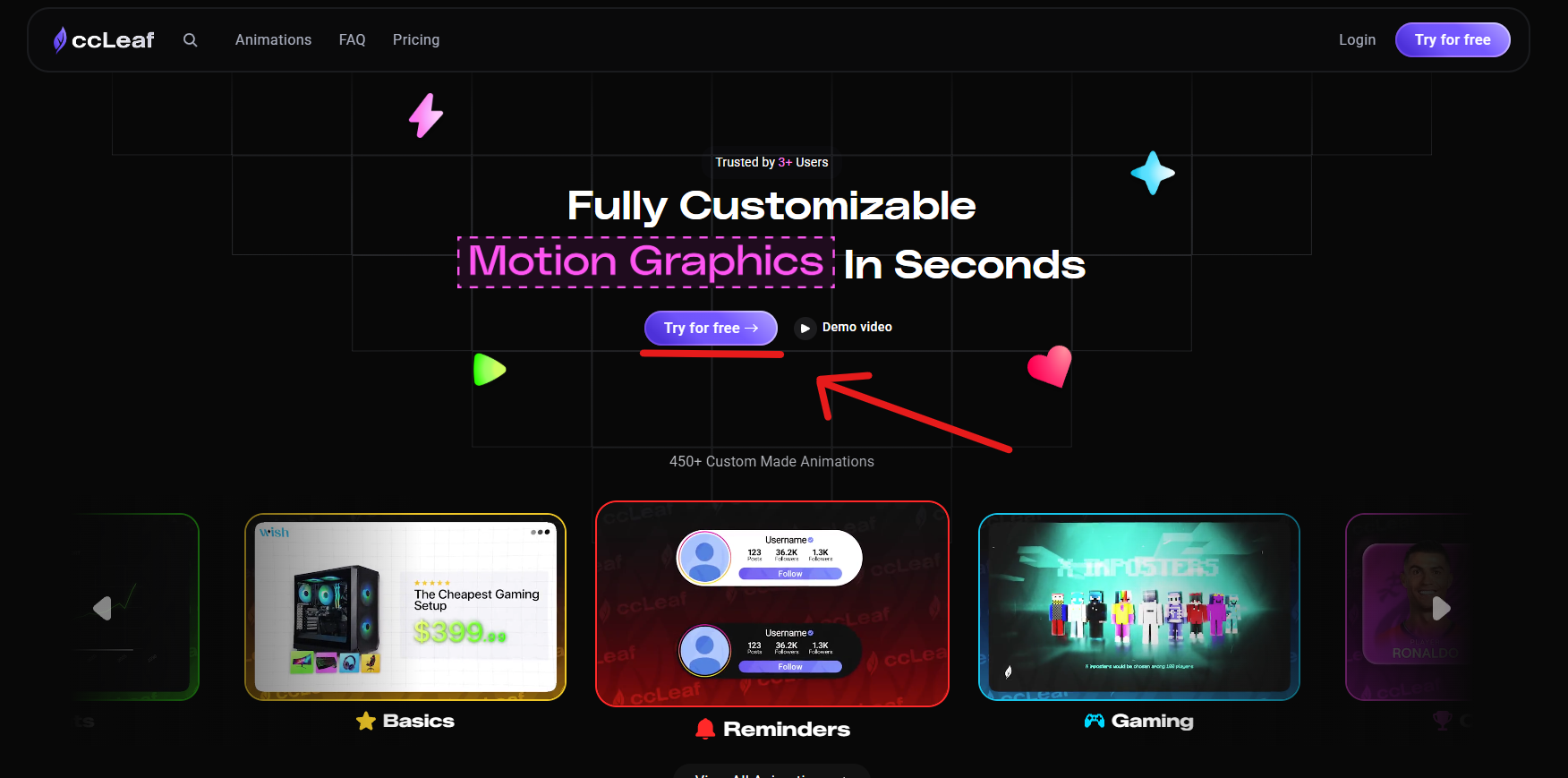
ccLeaf is a browser-based motion graphics editor and animation library built for YouTubers, streamers, editors, and content teams.
In simple terms: you open ccLeaf, pick an animation, customize it live, export it, and drop it straight into the editor you already use.
That means no digging through messy project files. No weird plugins. No opening a giant motion graphics program just to change a few words. No waiting on someone else to make revisions.
You just choose what you need, tweak it in real time, and keep editing.
That’s what makes ccLeaf so useful. It doesn’t ask creators to change their whole process. It fits into the process they already have.
You’re not adopting some bloated “creative ecosystem.” You’re just making your videos better, faster.
Get ccLeaf today and keep your workflow simple while making your content look dramatically more high-end.
Who ccLeaf is for
ccLeaf is built primarily for YouTubers and editors, but the reality is that it works for almost anyone creating video content seriously.
It’s especially strong for:
YouTubers who want their videos to stop feeling visually flat
Editors who want to deliver more value without spending hours animating from scratch
Gaming creators who need pop-ups, counters, item reveals, and overlays that fit the pace of their content
Streamers who want better alerts, graphics, and on-screen moments without generic overlay packs
Short-form creators making Shorts, TikToks, and Reels where motion matters immediately
Challenge creators who rely on timers, counters, progress tracking, and visual stakes
Finance, business, and education channels that need motion to make information feel watchable
Agencies and creative teams that need a scalable way to improve output across multiple editors or channels
Faceless channels where the graphics are a huge part of the personality
If you’ve ever been mid-edit and thought, “This moment would hit so much harder with the right animation,” then you’re exactly who ccLeaf is for.
And if that thought happens to you a lot, then honestly, you’re probably already the ideal user.
Get ccLeaf today and stop leaving high-impact moments on the timeline just because animation feels like too much work.
Why creators choose ccLeaf
Creators usually land on ccLeaf because they’re trying to solve one of a few very specific frustrations.
Maybe they’re tired of opening complicated software for something that should take two minutes.
Maybe they’re tired of relying on freelancers every time they need a counter, reveal, overlay, or title card.
Maybe they’re tired of seeing “fast animation tools” that technically work, but make everything look fake, generic, or obviously AI-made.
Or maybe they just want their edits to feel more premium without spending ten extra hours per video.
That’s where ccLeaf wins.
It gives creators:
Speed without sacrificing visual quality
Control without technical complexity
Consistency without generic output
Professional polish without needing a full motion graphics background
That combination is the whole point.
There are plenty of tools that give you one or two of those things. ccLeaf is built to give you all four at once.
That’s why it doesn’t just feel like a library. It feels like leverage.
Get ccLeaf today and turn motion graphics from a bottleneck into one of your unfair advantages.
What makes ccLeaf different
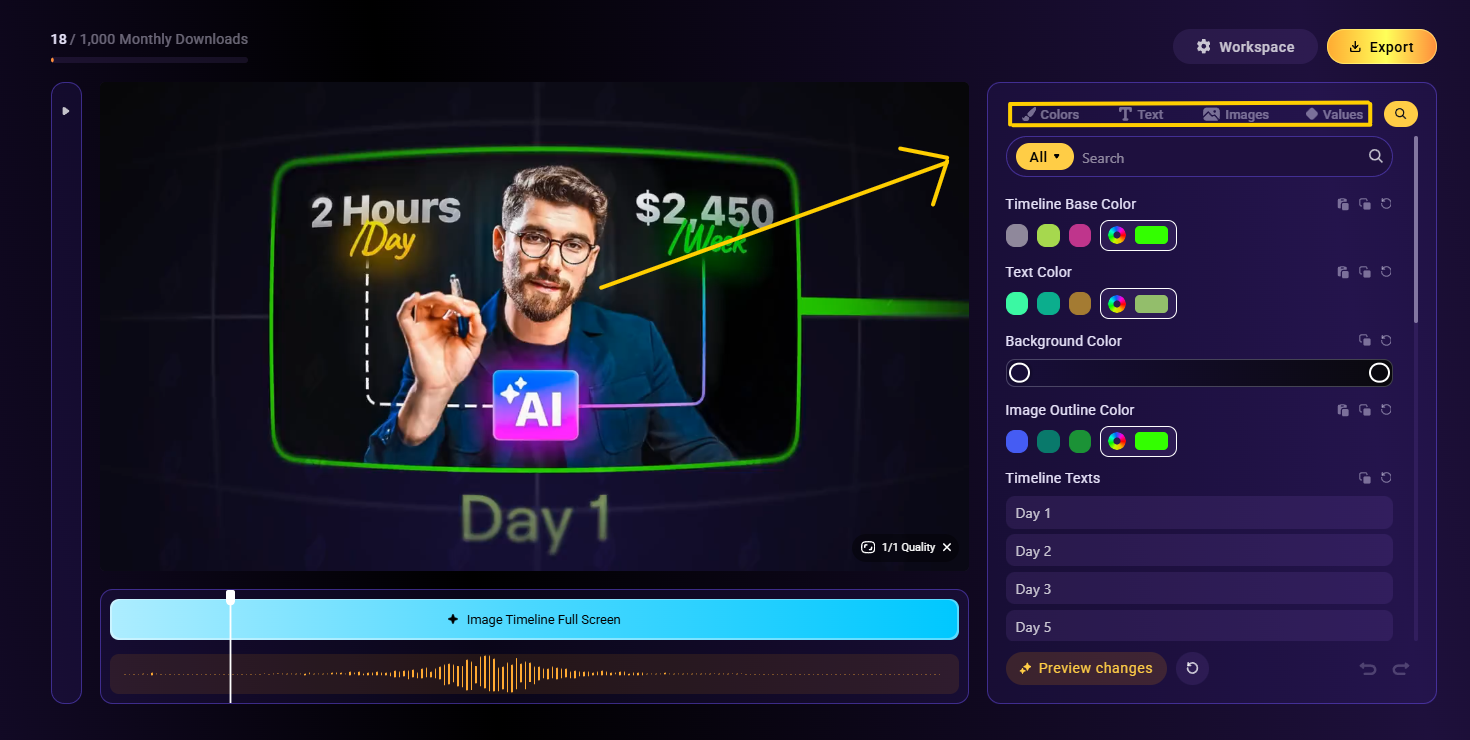
Real-time customization with instant preview
One of the biggest momentum-killers in any edit is waiting.
Waiting for a render. Waiting to preview a change. Waiting to see whether your text placement works. Waiting to find out if the timing feels right.
ccLeaf removes that friction.
You can change the text, swap colors, adjust timing, and preview everything in real time. That means you’re making creative decisions while you’re still in flow, instead of constantly breaking focus.
That sounds small until you’ve edited enough videos to realize that creative speed is mostly about not interrupting yourself.
Pro animations made by real animators — not AI
This is one of the biggest differences in the entire product.
A lot of newer tools lean into AI because it sounds exciting. But creators can feel the difference between “generated” and “designed.” One feels disposable. The other feels intentional.
ccLeaf animations are made by real animators who understand YouTube pacing, internet-native visuals, gaming content, creator storytelling, and the kind of motion that actually helps videos hold attention.
That matters because viewers don’t just react to whether something is animated. They react to whether it feels good.
And “good” usually comes from design taste, timing, and purpose — not random generation.
Pre-synced sound effects included
Motion without sound usually feels half-finished.
A pop-up hits harder with a snap. A reveal lands better with impact. A counter feels more satisfying when it has audio that reinforces the movement.
That’s why ccLeaf includes pre-synced sound effects with its animations. You’re not just getting a moving asset — you’re getting a more complete moment.
It’s one of those details that saves time while also making the final result feel more expensive.
Drag-and-drop simplicity
There’s a huge difference between “beginner-friendly” and actually easy.
A lot of tools claim to be simple, but still require a weird setup process, a learning phase, or a bunch of hidden steps.
ccLeaf is actually simple.
Pick something. Customize it. Export it. Drop it into your video.
That’s it.
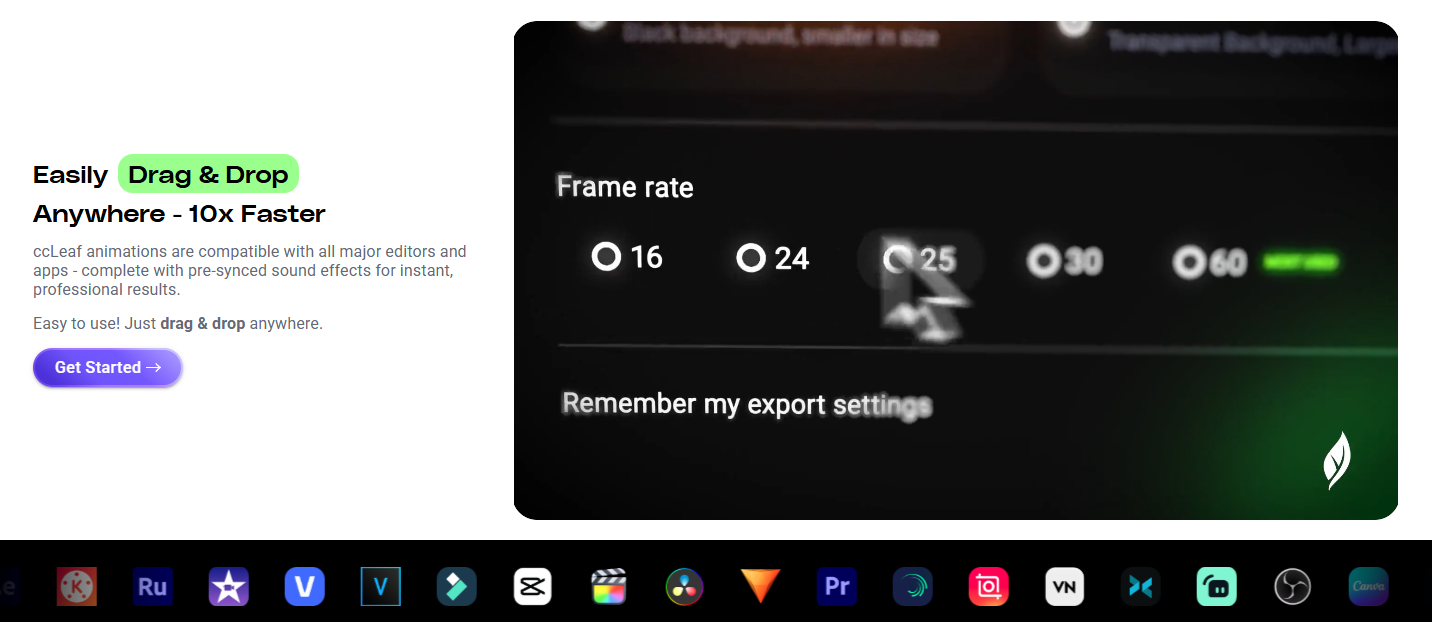
Works with every editor you already use
The last thing most creators want is another tool that forces them into its own ecosystem.
ccLeaf works with the editors creators already rely on: Premiere Pro, DaVinci Resolve, Final Cut Pro, CapCut, OBS, Streamlabs, Vegas, and more.
You don’t need to rebuild your process around it. It slides into the workflow you already trust.
One-click export, ready to drop in
ccLeaf exports from 720p to 4K, in MP4 or MOV, at 16, 24, 25, 30, or 60 fps, with or without a background.
That means the asset is usable right away. No weird conversion steps. No technical cleanup. No extra friction between “this looks good” and “this is in the timeline.”
A constantly growing library
A static library gets stale fast.
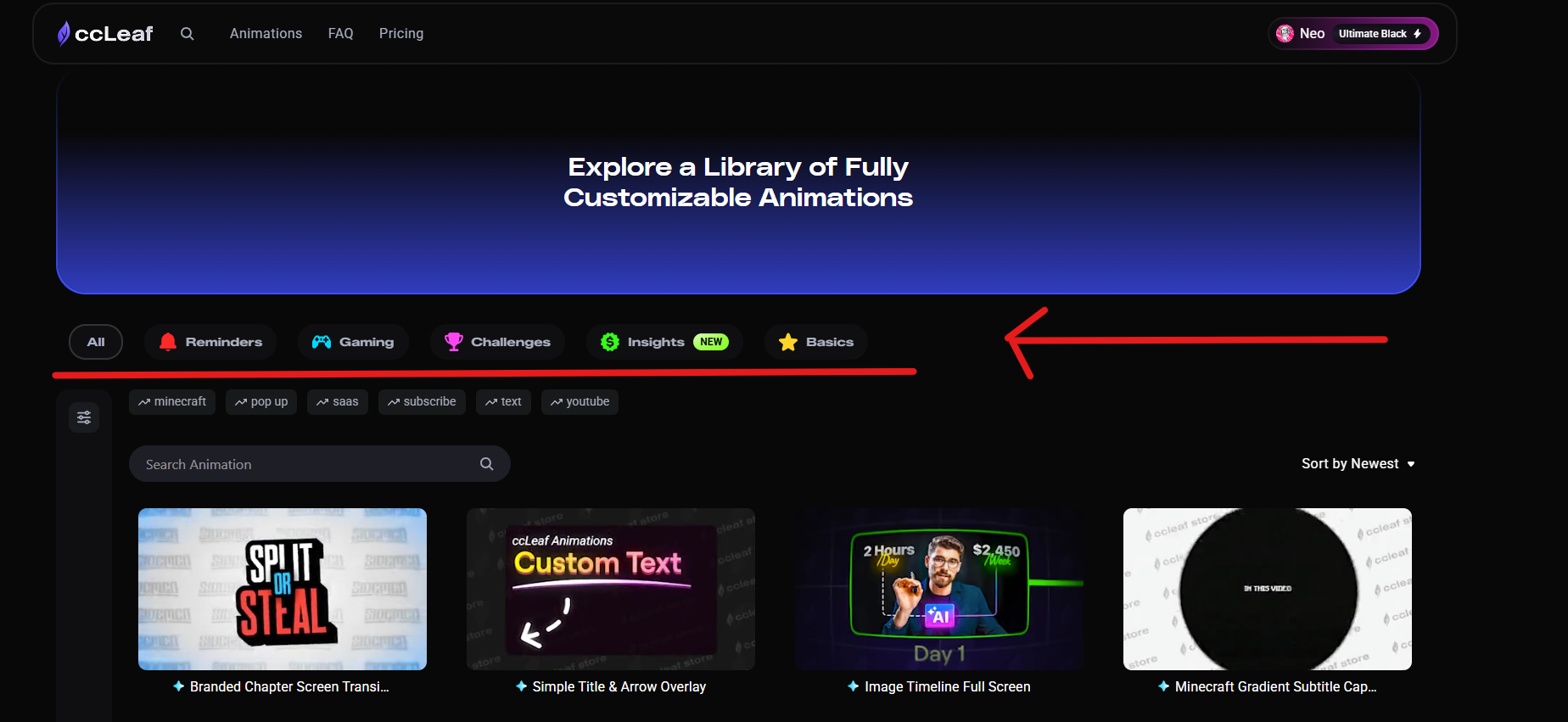
ccLeaf is built to grow with creators, which means the library keeps expanding across gaming, challenge content, insights, reminders, and core animation basics.
So the more you use it, the more useful it becomes.
A customizable workspace
The workspace itself is customizable too, with themes and layouts that make the product feel more like a real creative environment and less like a basic utility tool.
That might sound secondary, but it matters. Creators spend hours inside their tools. The experience should feel good while you work.
Get ccLeaf today if you want a motion graphics tool that feels fast, intentional, and actually built for creator workflows.
How ccLeaf works
The beauty of ccLeaf is that the workflow is incredibly straightforward.
Pick an animation from the library based on what you need the moment to do.
Customize it live by changing the text, colors, timing, and layout.
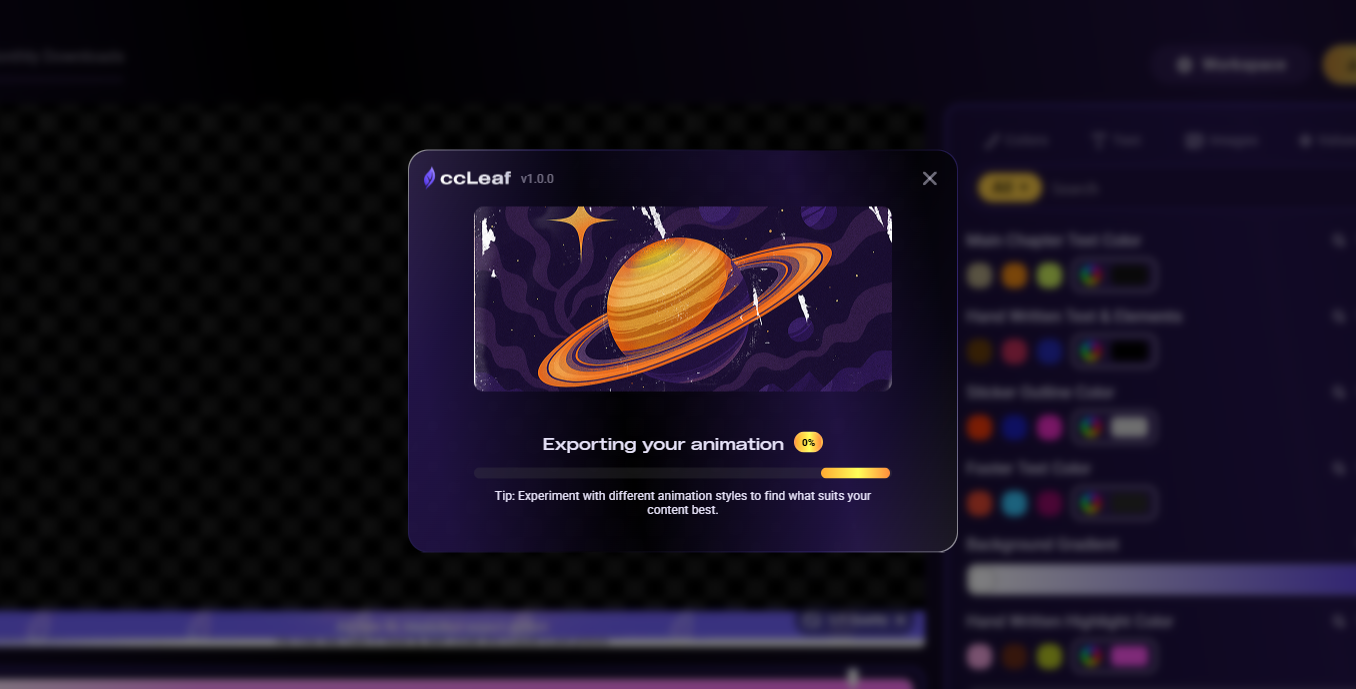
Export it in the format, resolution, and frame rate you need.
Drop it into your editor and keep moving.
That’s really it.
There’s no long ramp-up. No “watch 14 tutorials before you understand the interface.” No feeling like you’ve signed up for another complex skillset.
ccLeaf is designed so the gap between idea and result is as small as possible.
And that’s a big deal, because a lot of creative tools quietly tax your energy. ccLeaf does the opposite. It gives you momentum back.
Get ccLeaf today and make animation something you actually use often, not something you keep postponing.
What’s inside the ccLeaf library
One of the smartest parts of ccLeaf is that it doesn’t organize the library like a stock asset website.
It’s not just dumping you into vague categories and hoping you figure it out.
Instead, ccLeaf is structured more around what an animation actually does in the video.
That makes the whole thing feel much more natural when you’re editing.
Gaming — the deepest vertical
Gaming is one of ccLeaf’s strongest categories, especially for creators making Minecraft, Roblox, Fortnite, eSports, and other high-energy content.
This includes things like:
Item reveals
Stat overlays
Gameplay pop-ups
Subscribe prompts
Scene transitions
Branded intros
Spotlight animations
Gaming content lives and dies on pacing, clarity, hype, and visual feedback — and ccLeaf is built with that in mind.
Challenges
Challenge content is another huge use case.
These videos need constant visual reinforcement: timers, scores, money counters, progress trackers, milestone cards, twist reveals, and big dramatic moments.
ccLeaf makes those pieces fast to create and easy to keep visually consistent.
Insights
This is one of the most interesting categories, because it expands beyond gaming into content like:
Finance videos
Business content
SaaS explainers
Tutorials
Educational channels
Faceless commentary formats
These creators need graphics that make information feel dynamic. The animation has to clarify, emphasize, and retain attention — not just decorate.
Reminders
This covers the lightweight but important stuff:
Subscribe prompts
Like/comment reminders
Call-to-action overlays
Simple engagement graphics
These moments matter more than people think, especially when they’re integrated cleanly instead of feeling cheesy.
Basics
Then there are the foundational building blocks every creator uses:
Lower thirds
Titles
Text overlays
Chapter screens
Transitions
General-purpose animated elements
This is the stuff that quietly upgrades every video.
Get ccLeaf today and build a repeatable visual system for your content instead of reinventing graphics every upload.
Hero animation types ccLeaf is known for
There are a few animation types that really show off what ccLeaf does best.
Pop-ups and reveals — 3D mystery boxes, item spotlights, floating product reveals
Stat, counter, and timer overlays — money counters, score trackers, challenge timers
Subtitle and caption overlays — including more styled, high-retention caption looks
Chapter screens and transitions — for pacing, segmentation, and cleaner storytelling
Showcase and spotlight animations — ideal for products, weapons, items, features, or upgrades
Discord and UI overlays — for storytelling moments, messages, and interface-driven scenes
Text and title overlays — including bouncy 3D text and custom title reveals
These aren’t just “nice extras.” These are the kinds of assets that shape how modern creator content feels.
They help moments land harder. They help information feel clearer. They help videos feel more complete.
And because they come with pre-synced sound effects, they don’t just look good — they feel good.
Get ccLeaf today and give your edits the kind of motion that viewers actually notice.
ccLeaf for every kind of creator
ccLeaf isn’t locked to one niche. It works across a wide range of creator workflows.
ccLeaf for Minecraft creators — item spotlights, challenge counters, chapter breaks, subscribe graphics, and game-native motion that fits the content style
ccLeaf for Roblox and Fortnite creators — fast overlays, reveals, stat moments, and high-energy transitions
ccLeaf for streamers — alerts, UI overlays, and broadcast-style assets that work naturally in live setups
ccLeaf for challenge creators — timers, counters, reveal cards, and momentum-driving graphics
ccLeaf for finance and SaaS channels — data callouts, emphasis animations, pop-ups, and insight-driven overlays
ccLeaf for faceless channels — text-led storytelling, captions, visual pacing, and identity through graphics
ccLeaf for editors and agencies — a scalable way to make every project feel more premium without adding a ton of production time
This range matters for SEO, but more importantly, it matters because it reflects reality: creators aren’t all making the same kind of content, but they all need better visual tools.
And ccLeaf meets them where they are.
Get ccLeaf today whether you edit gaming videos, challenge content, education videos, or branded client work.
ccLeaf vs the alternatives
Most tools make you choose between speed, quality, and control.
ccLeaf is built to remove that tradeoff.
That table is really the whole pitch.
You can spend hours learning a giant animation tool.
You can spend days waiting on someone else.
You can gamble with AI.
Or you can use something built specifically for creators who need professional-looking motion right now.
Get ccLeaf today if you want the speed of a template, the polish of a designer, and the control of doing it yourself.
ccLeaf vs After Effects
After Effects is amazing when you’re a dedicated motion designer. But most creators are not trying to become dedicated motion designers. They’re trying to finish videos.
ccLeaf gives creators the outcome they want — strong, polished animation — without requiring them to learn a heavyweight software ecosystem.
ccLeaf vs AI animation tools
AI animation tools are often impressive for five minutes and disappointing for five months.
They can generate motion quickly, but they usually struggle with consistency, brand fit, precision, and visual taste. ccLeaf solves that by being intentionally designed, not randomly generated.
ccLeaf vs hiring a freelance animator
Freelancers are valuable, but they introduce a dependency into your process.
Every graphic becomes a request. Every revision becomes a wait. Every upload gets tied to another person’s availability.
ccLeaf gives you the ability to create those moments yourself instantly, without removing your control from the timeline.
Getting started with ccLeaf
The easiest way to understand ccLeaf is to use it.
Open the sandbox editor, pick an animation, customize it, export it, and test it in a real project.
That’s the fastest proof.
Open the sandbox editor
Pick any animation that fits your style
Customize the text, colors, and timing
Export it in your preferred format and resolution
Drop it into your next video
If it immediately feels like something your workflow has been missing, that’s because it probably is.
Get ccLeaf today and start building videos that feel more intentional, more polished, and more premium from the very next upload.
Frequently asked questions
Is ccLeaf an After Effects alternative?
For many creator workflows, yes. If your goal is to add high-quality motion graphics to videos without learning After Effects, ccLeaf is built for exactly that.
Does ccLeaf use AI to generate animations?
No. ccLeaf animations are made by real motion designers, which helps the final output feel far more intentional and less generic.
What editors does ccLeaf work with?
Premiere Pro, DaVinci Resolve, Final Cut Pro, CapCut, OBS, Streamlabs, Vegas, and basically any editor that supports standard video assets.
What resolutions and frame rates can I export at?
From 720p to 4K, in MP4 or MOV, at 16, 24, 25, 30, or 60 fps, with or without a background.
Who is ccLeaf best for?
YouTubers and editors are the core audience, but ccLeaf also works extremely well for streamers, short-form creators, finance channels, agencies, faceless channels, and challenge creators.
Can I try ccLeaf before paying?
Yes. You can use the sandbox editor to try the workflow before committing.
Get ccLeaf today and make every video feel more alive, more polished, and more worth watching.
Still need help? Ask the team